Project Settings
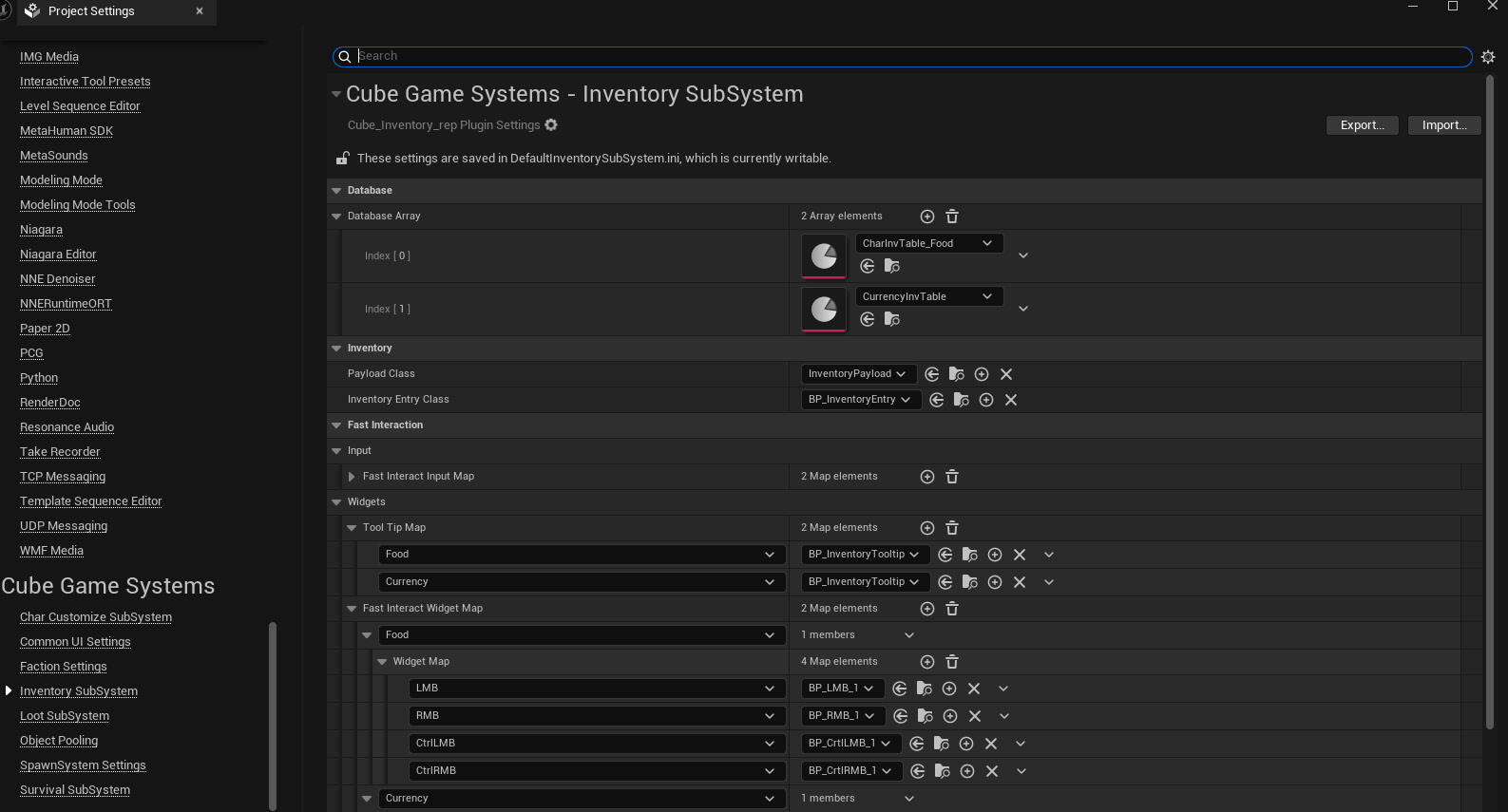
Open Project Settings → Cube Game Systems → Inventory SubSystem. Settings are declared by UInventorySettings with Config=InventorySubSystem and DefaultConfig.
| Property | Purpose |
|---|---|
DatabaseArray | Soft references to databases indexed during subsystem initialization |
PayloadClass | Class derived from UInventoryPayload used when entries create drag payloads |
InventoryEntryClass | Soft widget class derived from UUW_InventoryEntry |
ToolTipMap | ItemType to a soft UUW_InventoryToolTip child class |
FastInteractInputMap | ItemType to the ordered input enum array |
FastInteractWidgetMap | ItemType to control enum/widget class mappings |
For the sample UI, use InventoryPayload, BP_InventoryEntry and BP_InventoryTooltip or project children with the required bindings. Populate ToolTipMap for every non-None ItemType displayed: the current GetToolTipWidgetClass dereferences a missing map key without checking it. A present key with a null class is different from an absent key.
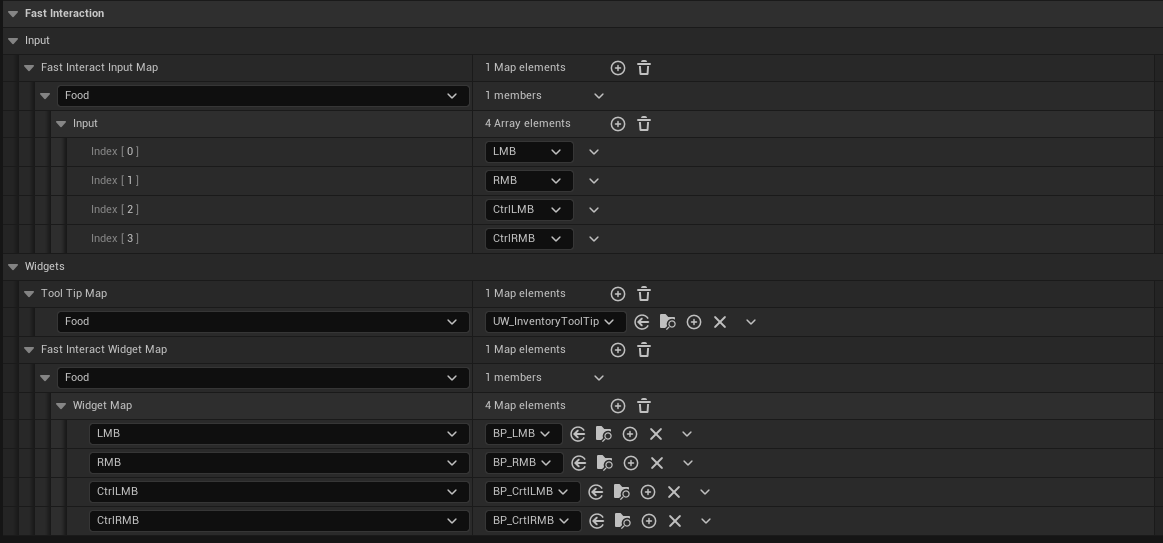
Fast Interaction provides UI mapping scaffolding. It does not implement a complete consume/equip/trade system or promise a particular future release. The project handles action input and server validation.
Restart PIE after changing database settings: indexing starts at subsystem initialization, and there is no exposed live rebuild function. Validate that configured assets are available in the packaged build and test fresh startup with unloaded soft references.